
Module control
With the Module Check widget, you can find out if you have modules on your site that are old and have a new replacement in the Marketplace.
The Module Control widget can be used on a both the website and single page dashboard

If you have an old module on the site, you can use View details to get more information.
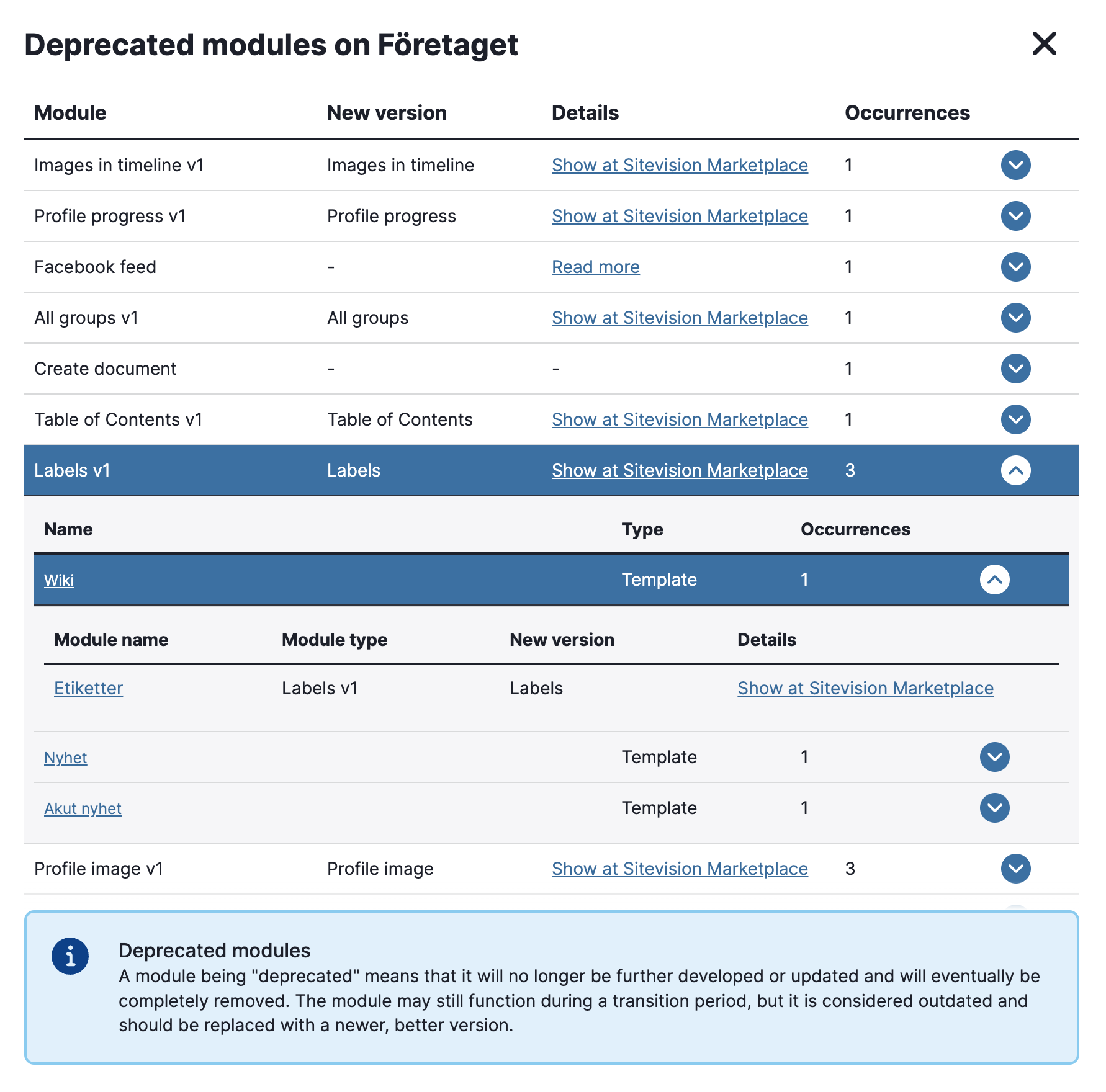
The image shows the widget in a website dashboard. Here you can see information about which module has been deprecated and whether a replacement or additional information is available.
Under Show details, you can see where the deprecated module is located. There are links to the relevant page or template, as well as a direct link to the module.
Settings in the widget

Size
The following sizes are available:
- Small
This is a widget from Sitevision Marketplace. If you want to download it, go to the menu in the navigator -> Marketplace in edit mode on your website.
The page published:

help.sitevision.se always refers to the latest version of Sitevision