

Segments for measuring mobile app usage
If you want to be able to measure mobile app usage, you'll need to create a segment in Sitevision web analytics.
Here's how:
- Go to https://svanalytics.piwik.pro/login and sign in
- Select the "All visitors" button and then "Manage segments."
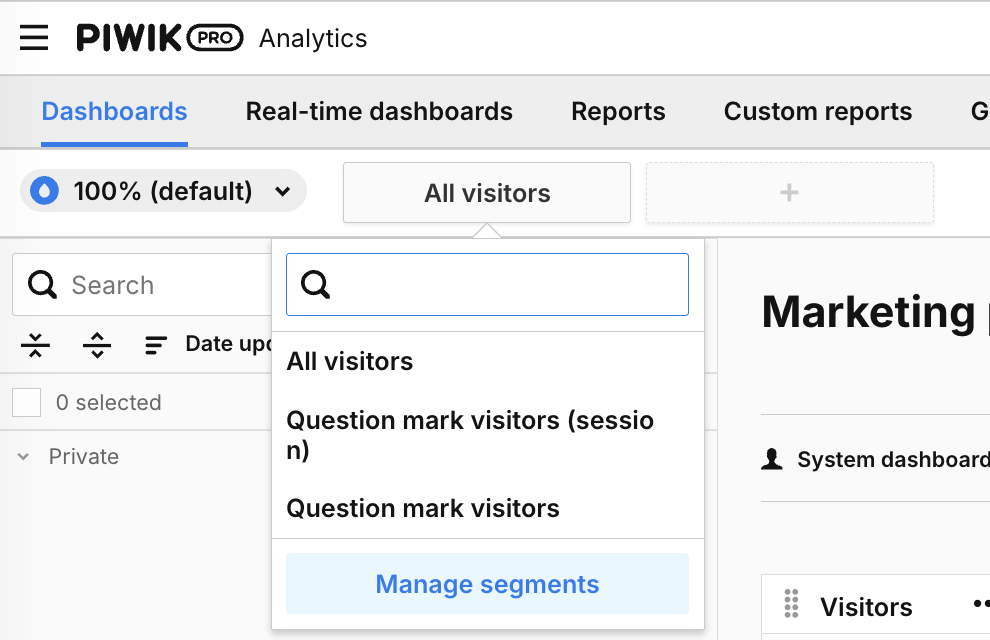
- Click the "Add a segment" button in the upper-right corner.
- In the search box on the right, type "sitevision" to find the Custom Dimension "Sitevision - Platform Type." Select it and drag and drop it into the area that says "Drop a dimension...".
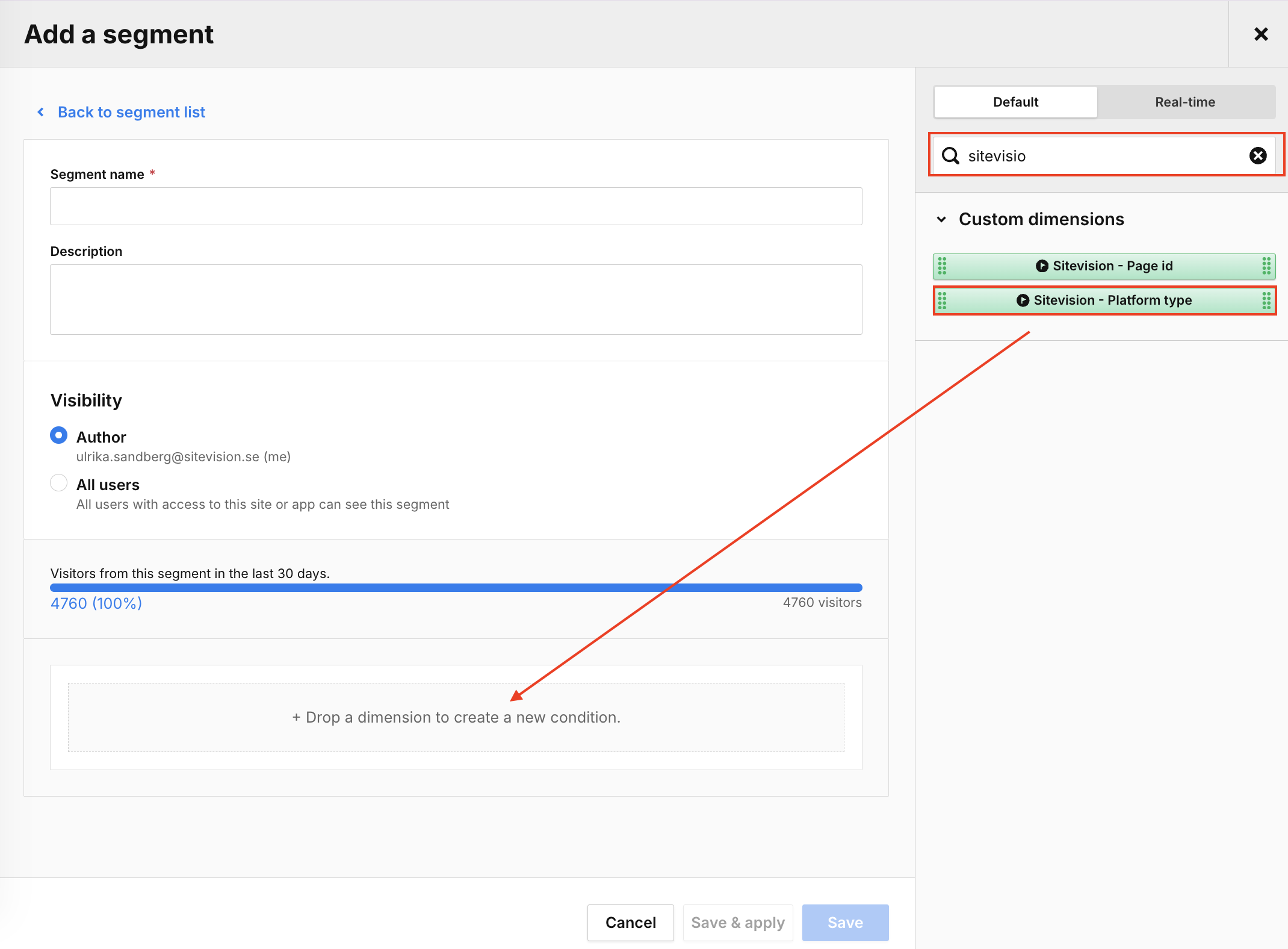
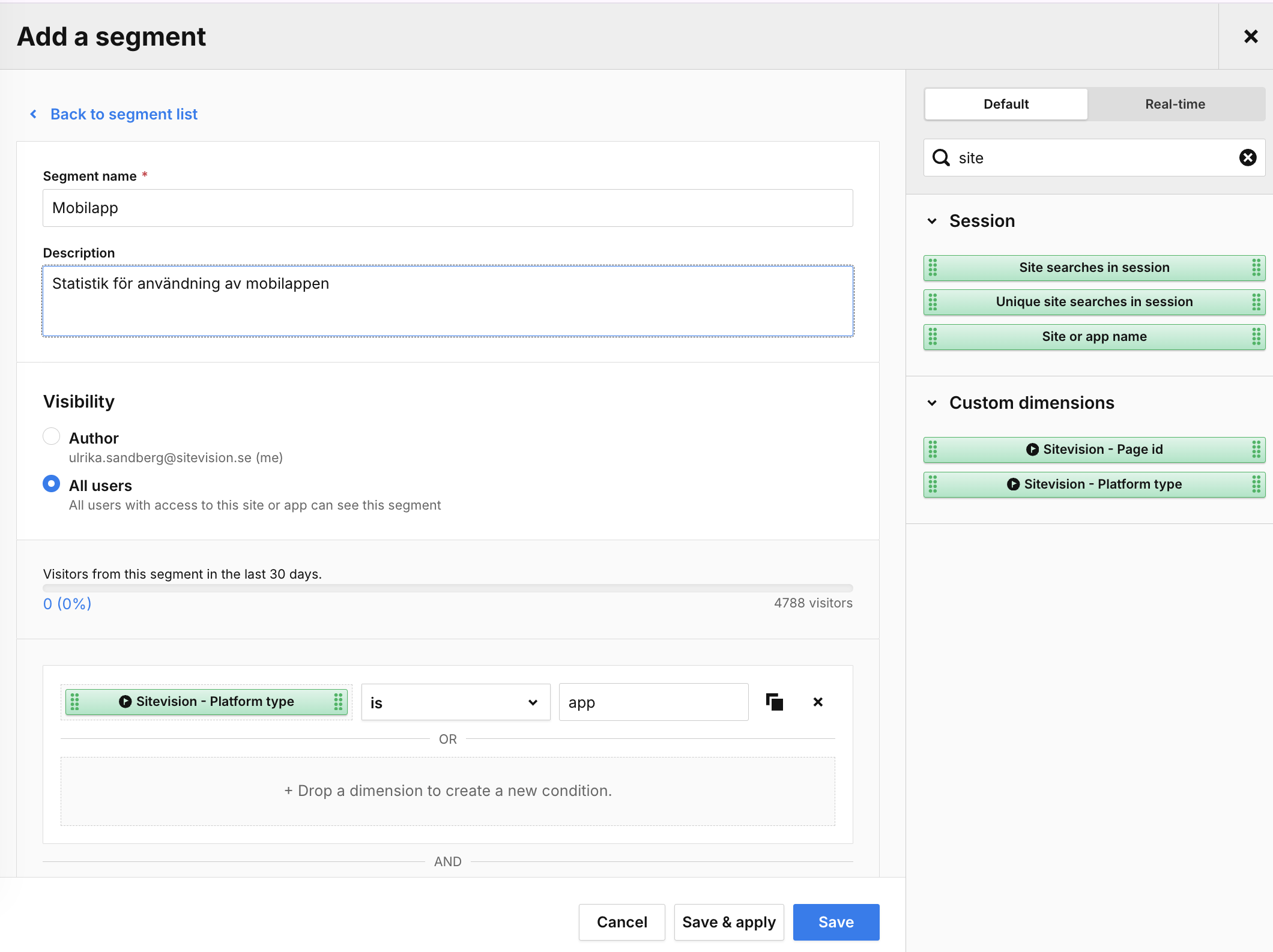
- Fill in the following:
- Segment name - Name of the segment
- Description - Optional; you can enter a description of what this segment does
- Visibility - Whether only you should see the segment or if all users can use it
- Select your Custom Dimension ("Sitevision - Platform type") -> "is" and type "app" in the "Enter value" box.
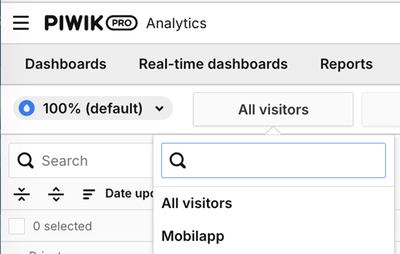
Done! You can now select your segment from the list below the "All visitors" button.
The page published:
 Print page
Did the information help you?
help.sitevision.se always refers to the latest version of Sitevision