

Right-hand menu
To display the right-hand menu, click on the profile picture at the top.
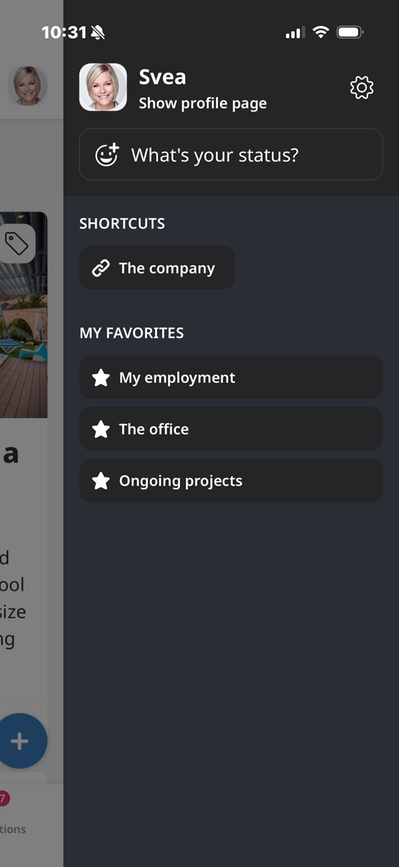
The right-hand menu contains:
- A link to go to the profile page
- Gear icon to access app settings,
- Status settings
- Shortcuts—see below
- My Tags (which are the news feeds you choose to follow)—see below
- My Favorites—see below
Shortcuts
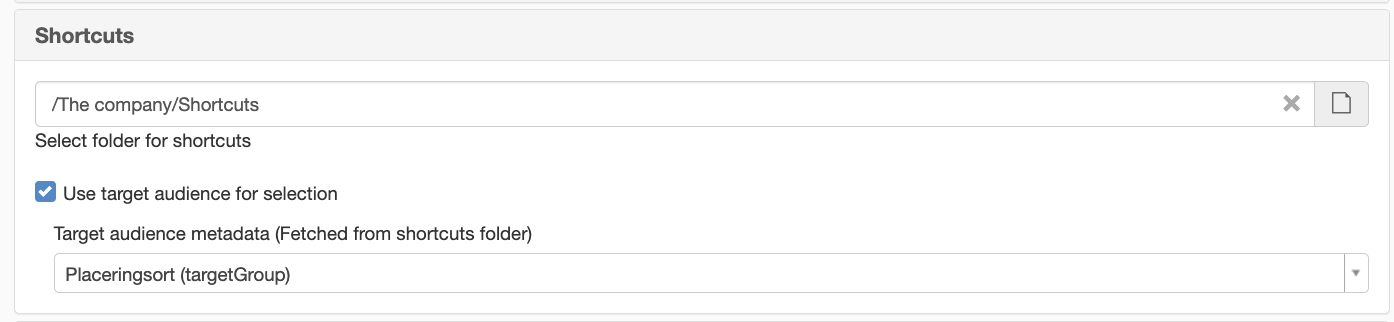
You can now configure which audience metadata to use in the mobile app to control personalized shortcuts. To enable this feature, go to “Add ons” and search for “mobile-backend” to access the app’s settings. Then go to the settings and enable “Use target groups for selection.”
My Tags
You can choose whether to enable tags in the app. If this feature is turned on, you’ll see here which tags you’re following. To learn how to set up this feature, go to “Personalize Your News Feed.”
My Favorites
This section lists your favorites on the intranet. For this to appear, you must use the favorites feature on the intranet.
The page published:
 Print page
help.sitevision.se always refers to the latest version of Sitevision