

Direct Messages
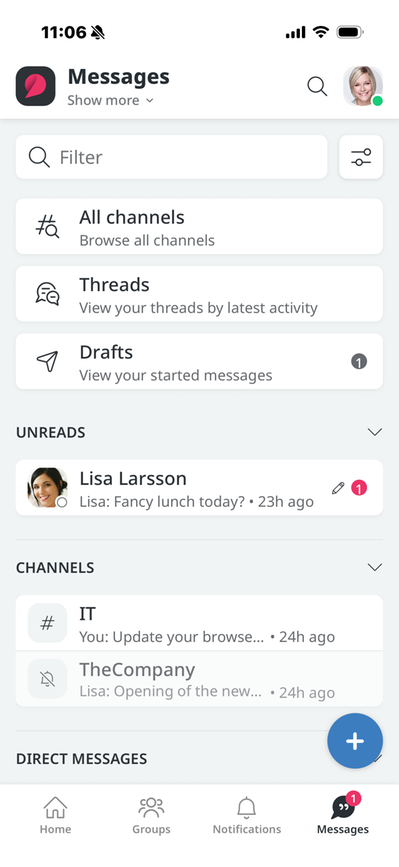
The Home screen under Messages displays both your channels and your most recent direct messages (DMs). If you have unread messages in channels or DMs, they will appear at the top. If you want to send a DM to someone who appears in the list on your home screen, click on that person, and on the next screen, start typing.
Create a New Message
To write a new message to someone, click the blue box with the plus sign. On the next screen, you can type the name of the person you want to message or select it from a list.
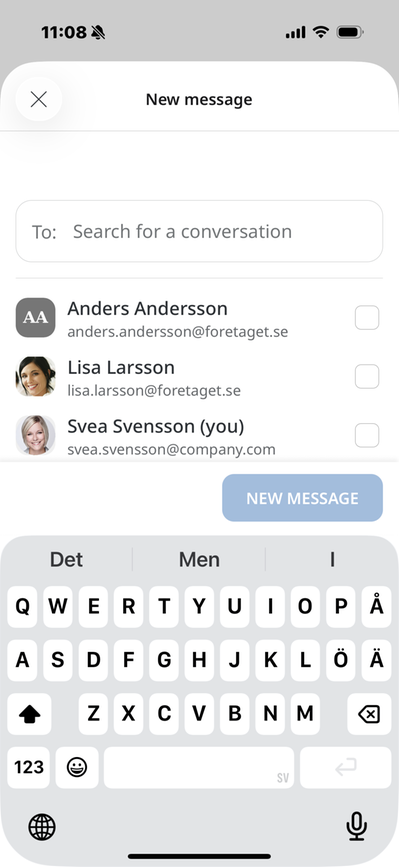
Once you've selected the person, just start writing. You can send pictures, record videos, or take photos with your camera, and use the options under the plus sign to link to files, web pages, and more.
The page published:
 Print page
help.sitevision.se always refers to the latest version of Sitevision