

Justify
Align text can be found under the Tools icon in the toolbar.
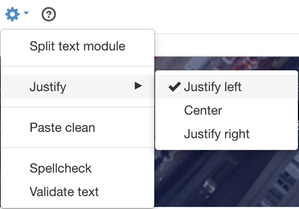
There are three options:
- Justify left
- Centre
- Justify right
The default setting is Justify left.
To justify text, select the text you want to justify and then select Tools-> Justify.

Justify left text

Centrered text

Justify right text
The page published:
 Print page
Did the information help you?
help.sitevision.se always refers to the latest version of Sitevision