

Upcoming in calendar - Microsoft 365
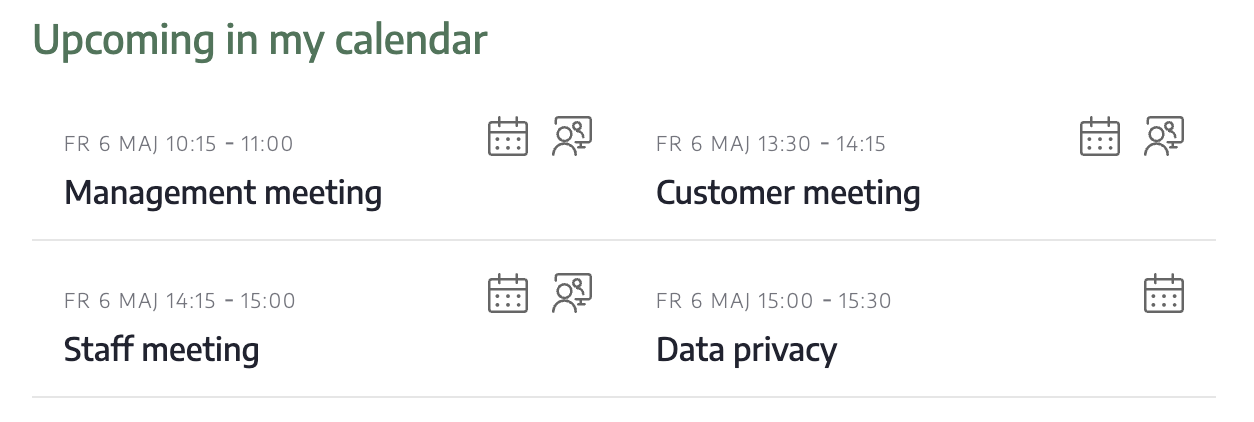
With this module you can display your upcoming calendar events:
Settings
You can make the following settings in the module:
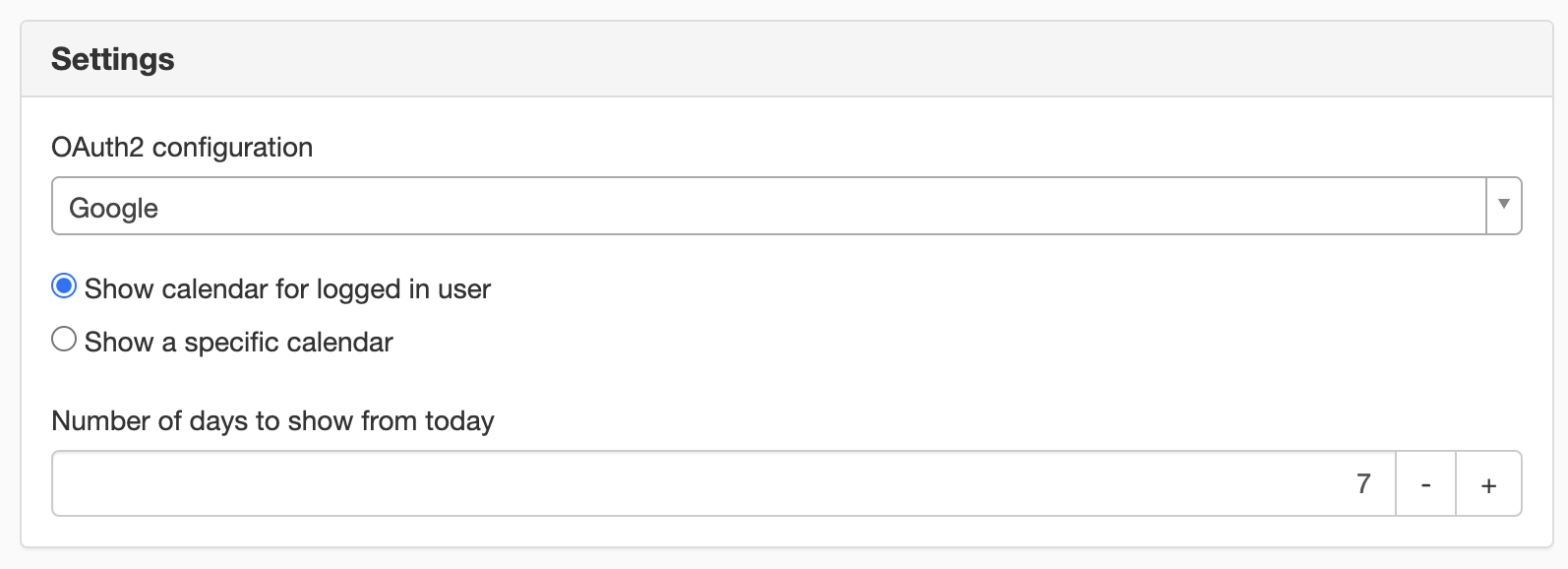
Oauth2 configurations
Choose your login. Selections are retrieved from website settings/oauth2 configurations.
Show calendar
Here you can choose what calendar you want to show
- Show calendar for logged in user
- Show a specifik calendar - For example, if you have a shared calendar for an entire group in your company
Number of days to show from today
Set the number of days ahead that the calendar will show.
Appearance
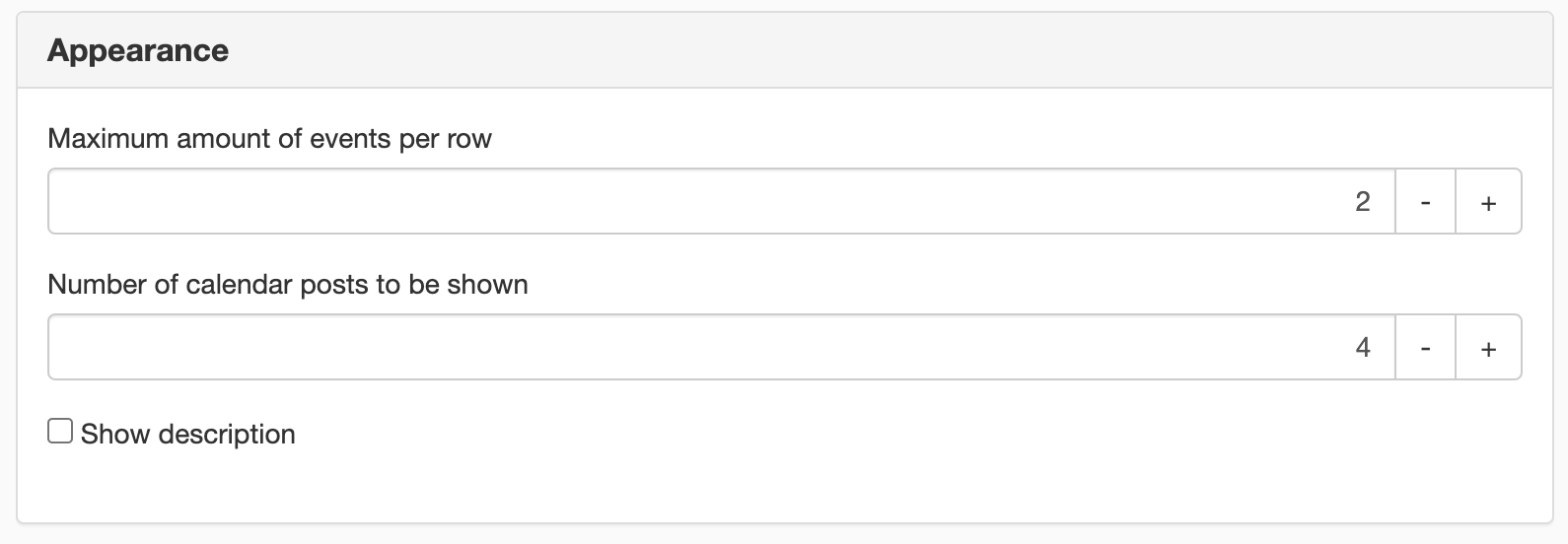
Maximum amount of events per row
Choose how many rows your calendar should preset.
Number of calendar posts to be shown
Select how many calendar entries should be shown in your calendar.
Show description
Shows the description of each calendar event.
Max number of characters to show in description
Set the limit for the number of characters to show in the description.
In order to access these modules, you need to set up a login (OAuth2) to access the service.
This module requires you to have a license for Sitevision Intranet 2022 or Extranet Enterprise
This is a module from Sitevision Marketplace. To download it, go via the menu in the navigator -> Marketplace in the edit mode of your website.
The page published:
 Print page
help.sitevision.se always refers to the latest version of Sitevision